
本文最后更新于278 天前,其中的信息可能已经过时,如有错误请发送邮件到cishaxiatian@gmail.com
首先需要去找到对应IDF版本的Arduino版本,我自己是IDF5.5.1,这里下载的是
espressif/arduino-esp32: Arduino core for the ESP32
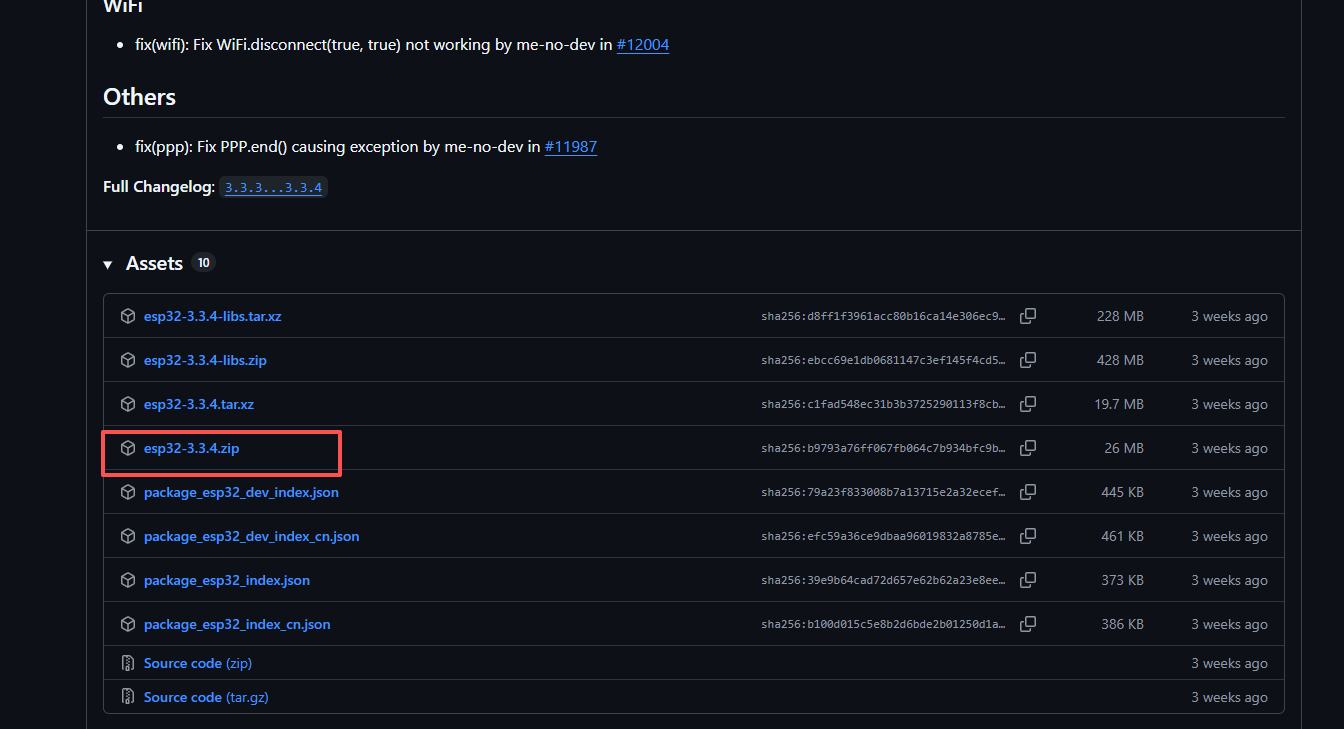
将 arduino-esp32 库作为工程的组件来使用
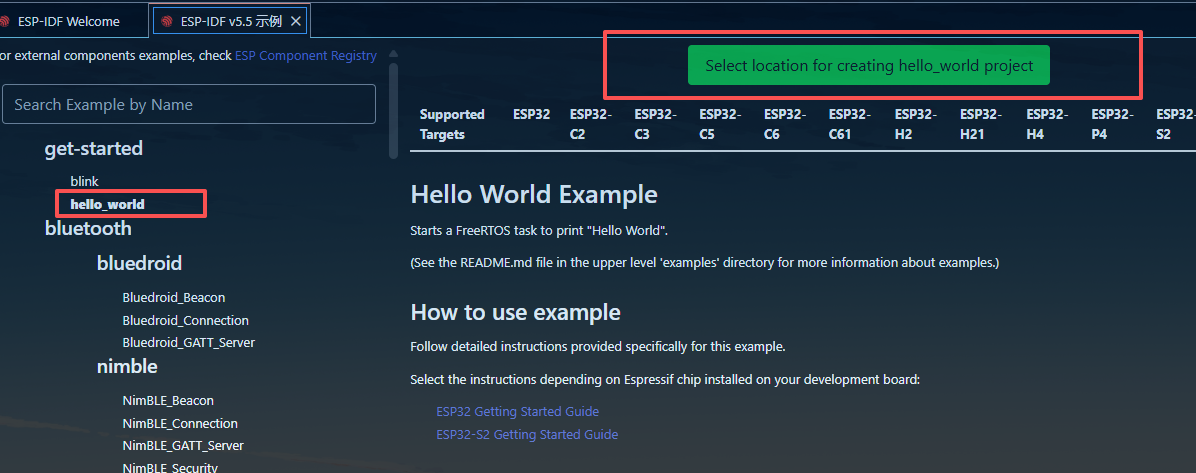
1.创建一个新的工程,这里使用IDF中的hello_world的示例
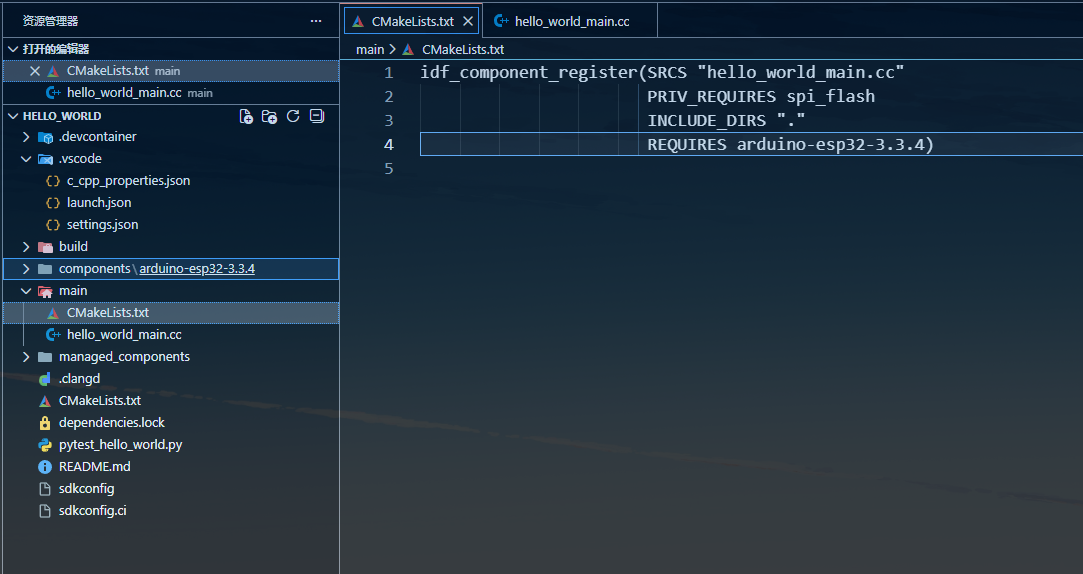
2.将main文件夹下的 hello_world_main.c 重命名为c++文件, hello_world_main.cc ,并将mian文件下的cmakelists.txt中的内容修改如下
3.将hello_world_main.cc代码修改如下
#include "Arduino.h"

extern "C" void app_main()
{
  initArduino();

  // Arduino-like setup()
  Serial.begin(115200);
  while(!Serial){
    ; // wait for serial port to connect
  }

  // Arduino-like loop()
  while(true){
    Serial.println("loop");
    delay(1000);
  }
4.CONFIG_FREERTOS_HZ=100修改为1000
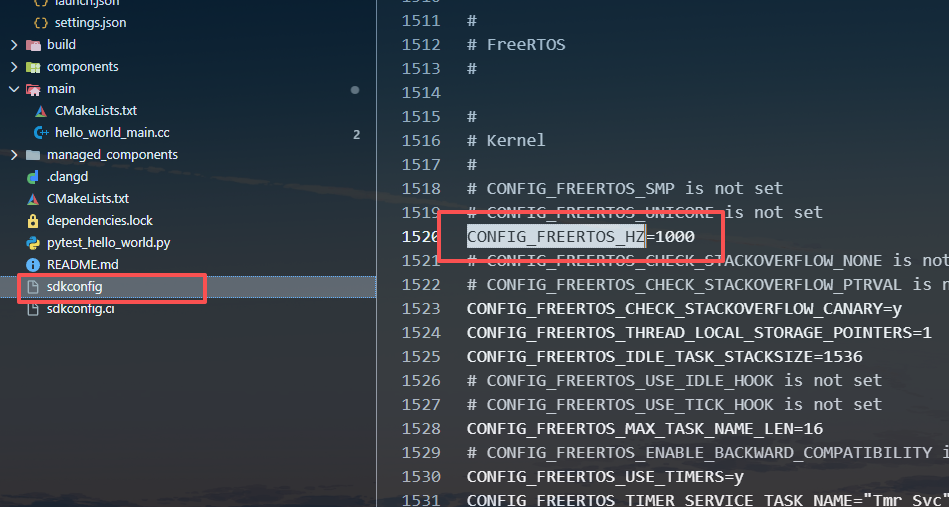
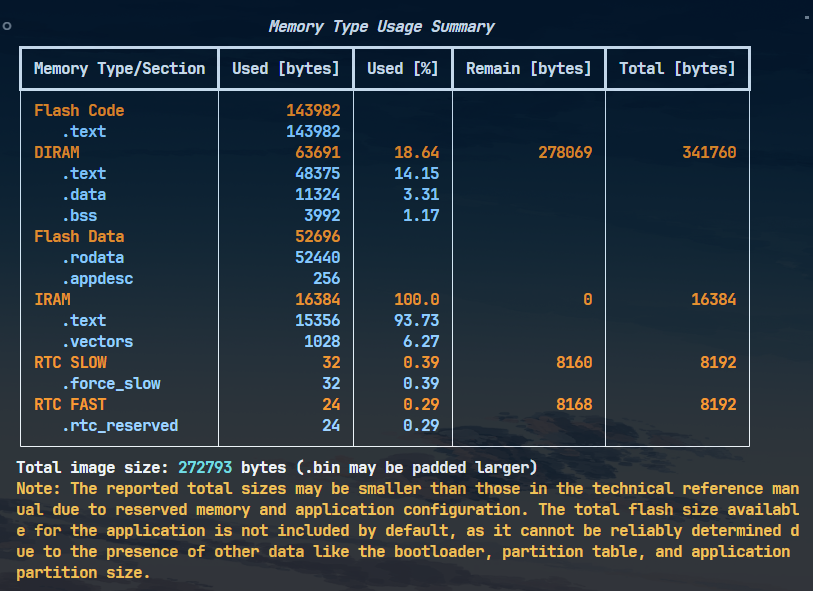
5.编译烧录即可
完整项目链接
通过网盘分享的文件:IDF_Use_Arduino_Library.zip 链接: https://pan.baidu.com/s/19S8f-10_Vqg24cYb1L_bPw?pwd=j2wt 提取码: j2wt –来自百度网盘超级会员v4的分享